The pump unreachable alarm is a very useful function, but there may be times when the standard alarm needs to be replaced by something less intrusive.
If you have reached objective 9 (automations) then you could disable the standard AAPS alarm and replace this with a notification, SMS and/or alarm. Below is the setup I used. I wanted a robust alternative. I suggest using a combination of alerts and notifications as this is an important alarm you do not want to miss.
Disabling the Standard Alarm:
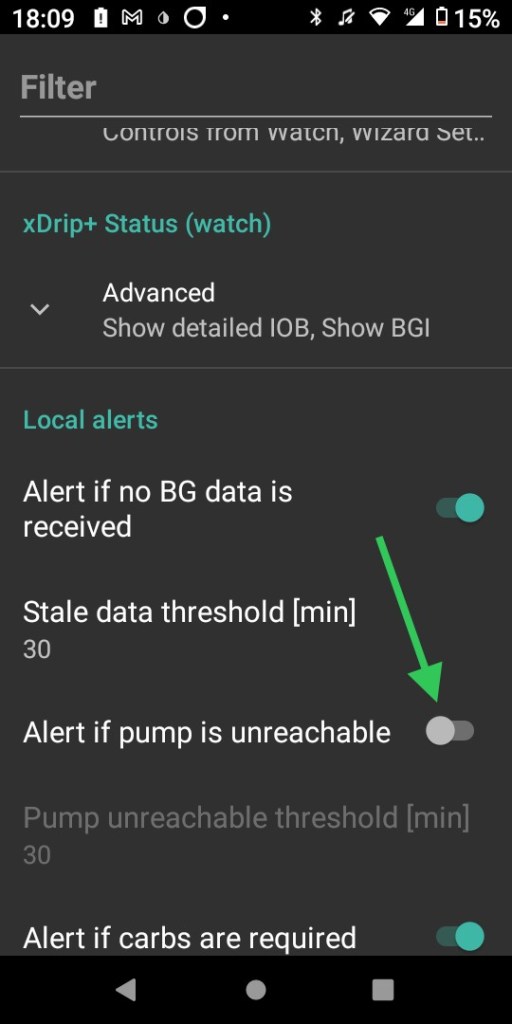
Go to Preferences ->Local Alerts -> Alert if pump is unreachable and turn the toggle switch off
Now we need to configure an automation to replace the standard alarm. I decided to create two automations as I wanted the standard alarm to sound at night when I was unlikely to wake from an SMS or notification.
Enabling an automation:
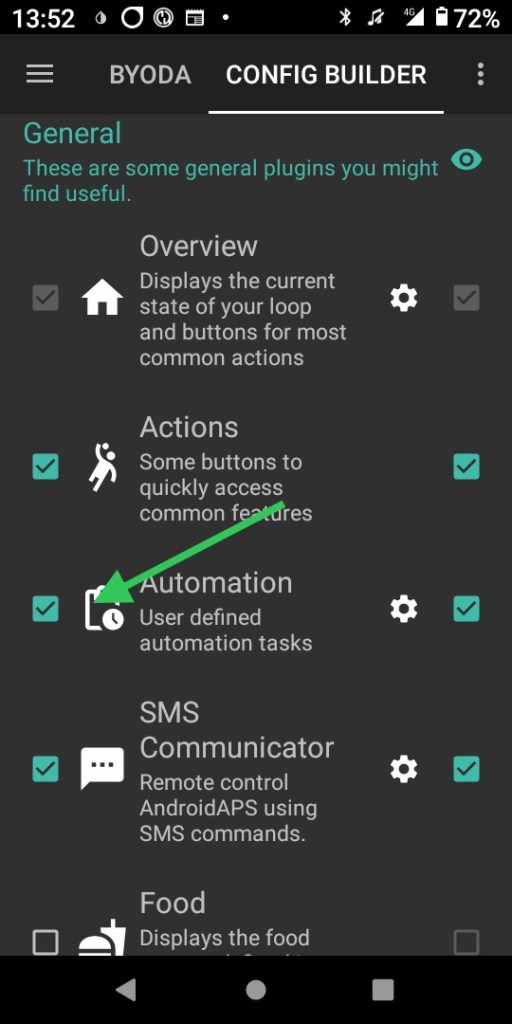
Enable automations in the config builder by ticking the box next to the name in the General plugins menu.
Creating an Automation:
- Enable the automation
- Name the automation something useful and descriptive.
- Edit the condition of the automation
- Add an action to perform once the condition is achieved
- The text the SMS will send my phone once the condition is achieved
- The notification that appears in AAPS once the condition is achieved
- Hit ok to save the automation

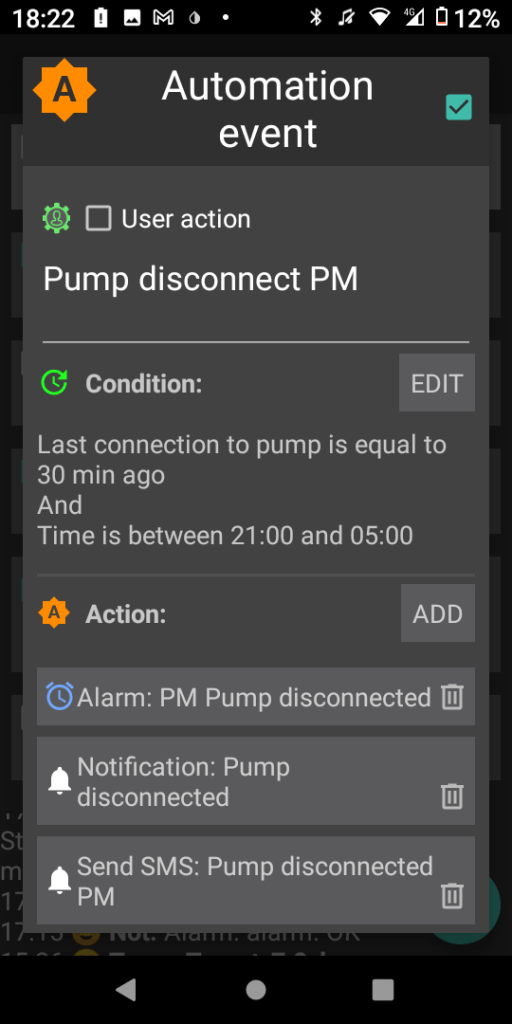
NOTE: Ensure you name the notification or SMS text as the automation will not work unless you do.
Alarms:
The alarm tone is the standard tone for the phone timer. Once the alarm starts sounding you will need to deactivate it using your phone.
Required documentation:
 Dick The Diabetic's APS Adventures